


Features (9/9)
The windows, the sounds and the quirks of 2009's Messenger, rebuilt to work today.
-

Messenger Room - an open conversation with everyone who is online right now. Join and there's already someone to talk to.
-

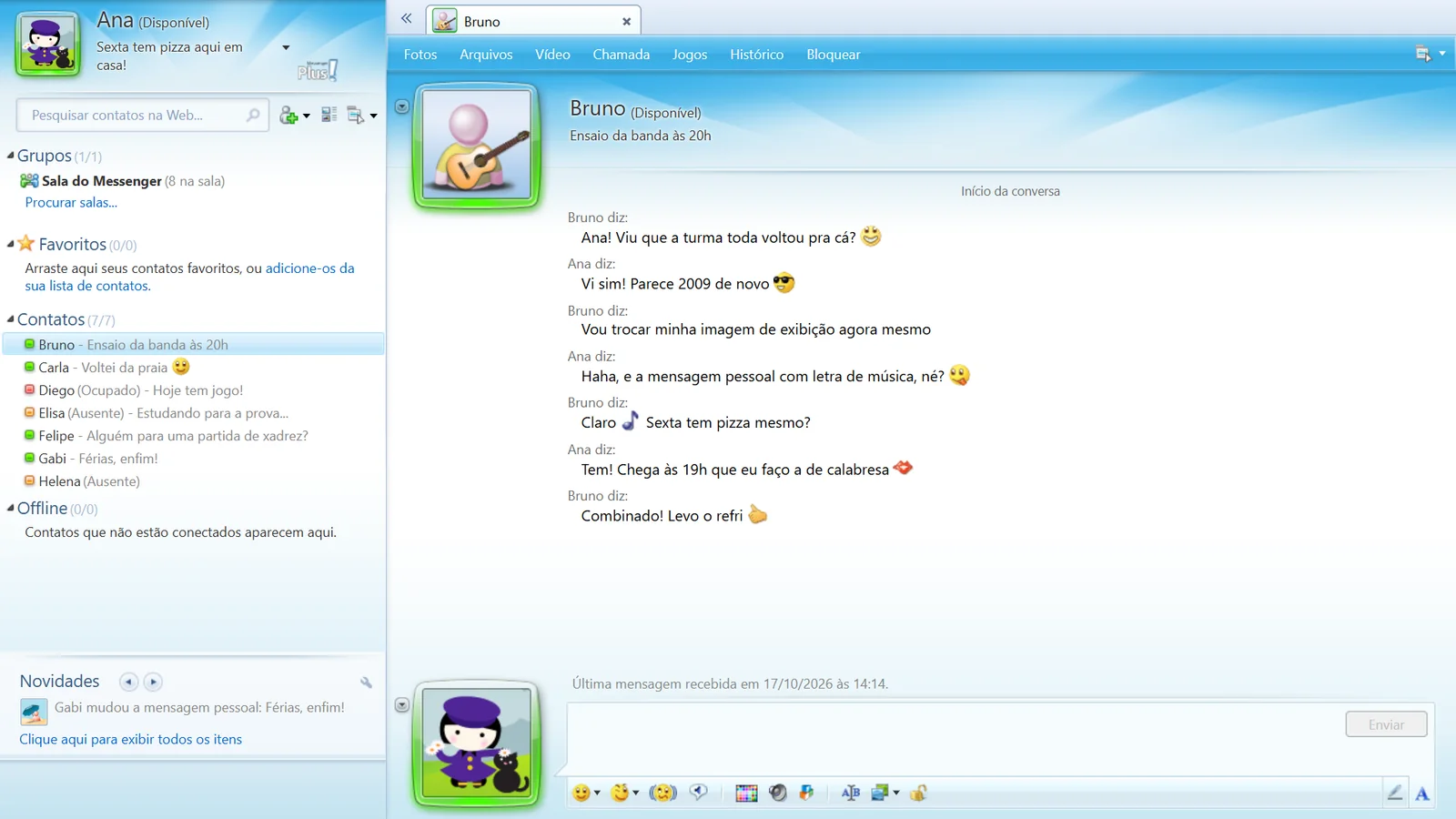
Private chats - add your friends to your list and chat one-on-one, with status, personal message and display picture.
-

Winks and nudges - the full-screen animations and that window shake, with the same old sound.
-

Messenger Plus! - colored nicknames, sounds, quick texts, custom statuses and an event log.
-

Games - play with whoever is in the conversation, without leaving it.
-

Room radio and quiz - music playing for everyone at the same time, and a quiz with a scoreboard and a daily champion.
-

Voice and video - voice and video calls right from the conversation window, in groups too.
-

Rooms with roles - create your own room, with an owner, operators, topic and modes, mIRC channel style.
-

On your phone and PC - the same account on both. On your phone, screens made for your thumb and new-message alerts.
Real screens (5)
Screenshots of Messenger at work, on a computer and on a phone. Swipe sideways to see more.
-
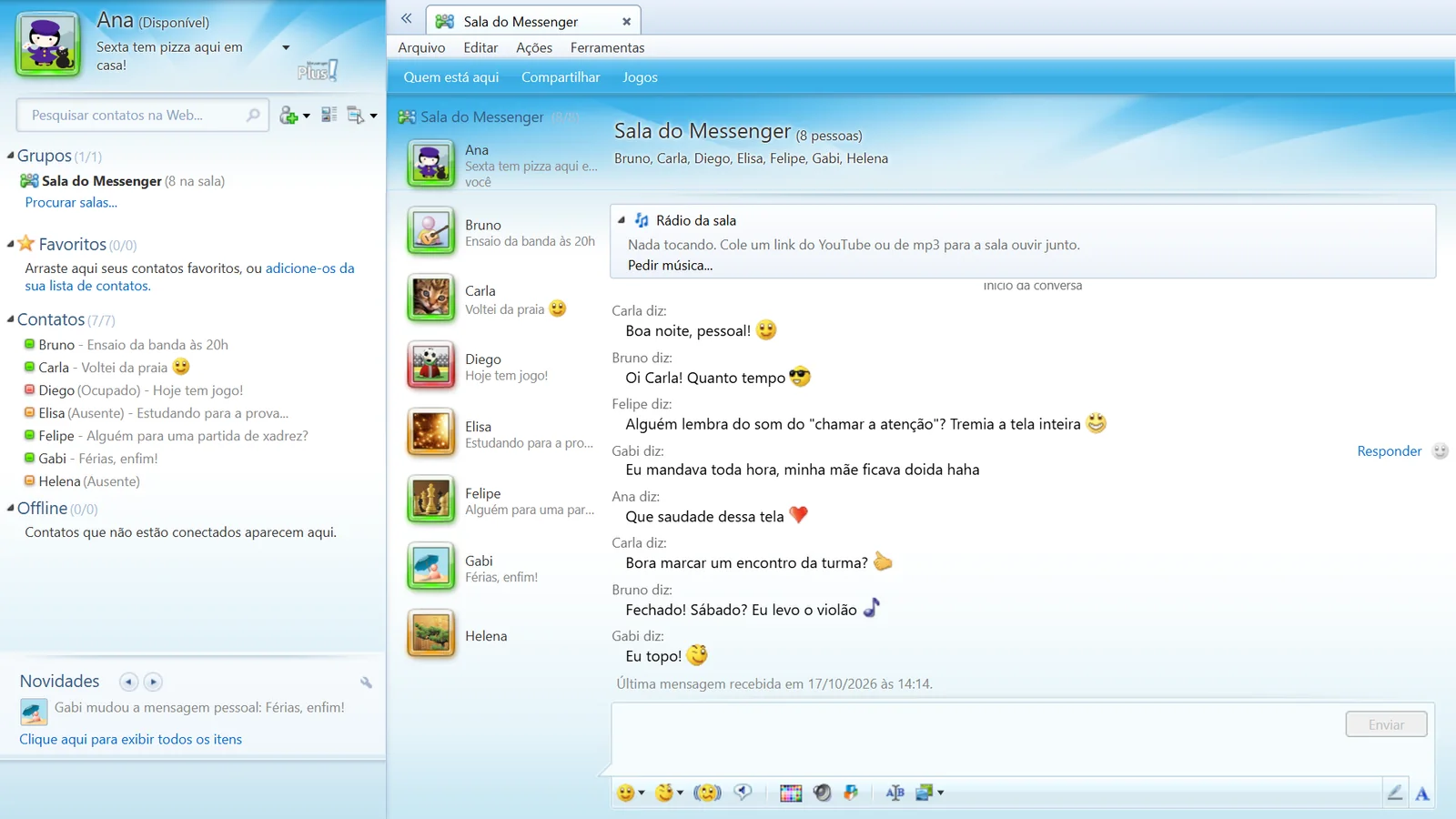
The Messenger Room, on PC -
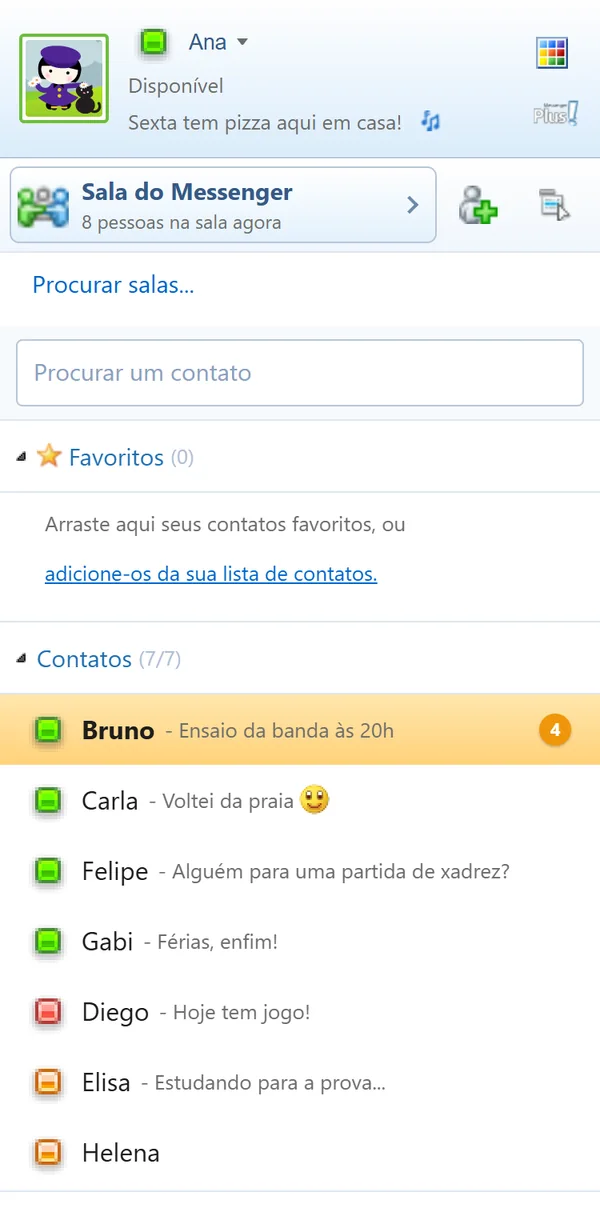
The list, on a phone -
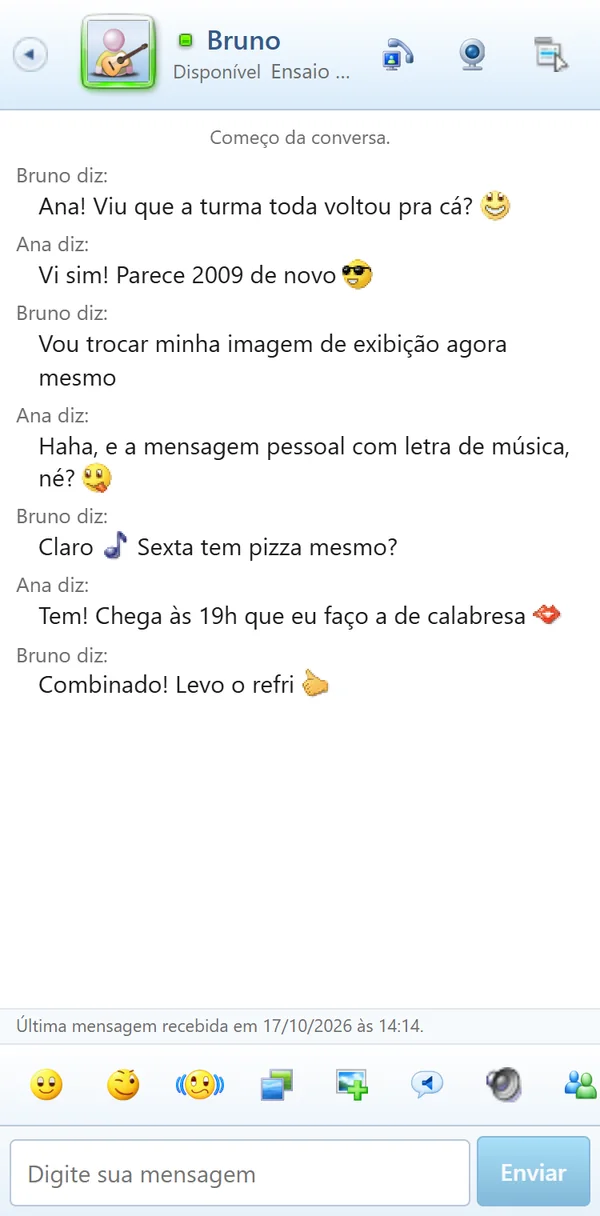
A conversation, on a phone -
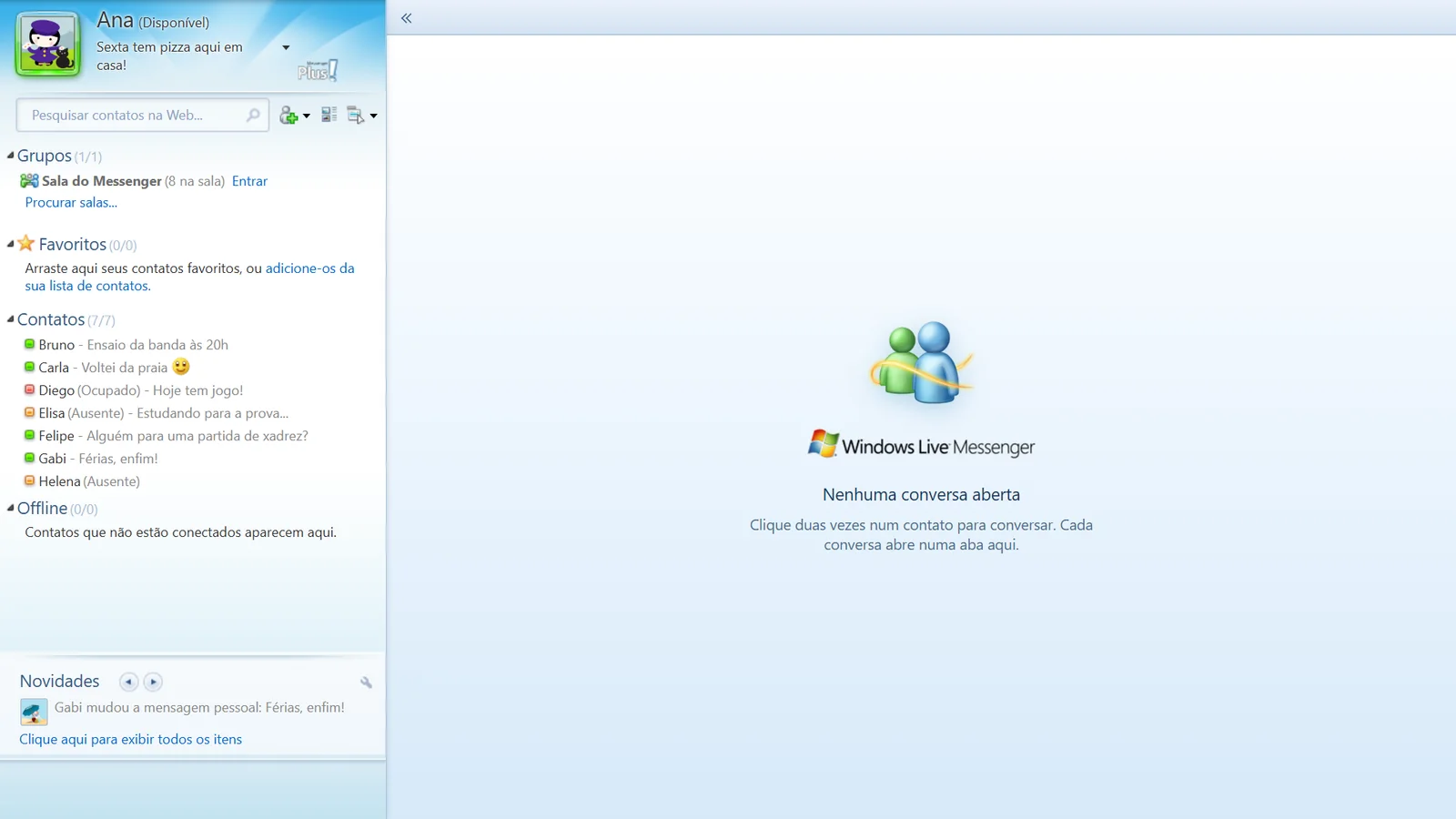
The contact list, on PC -
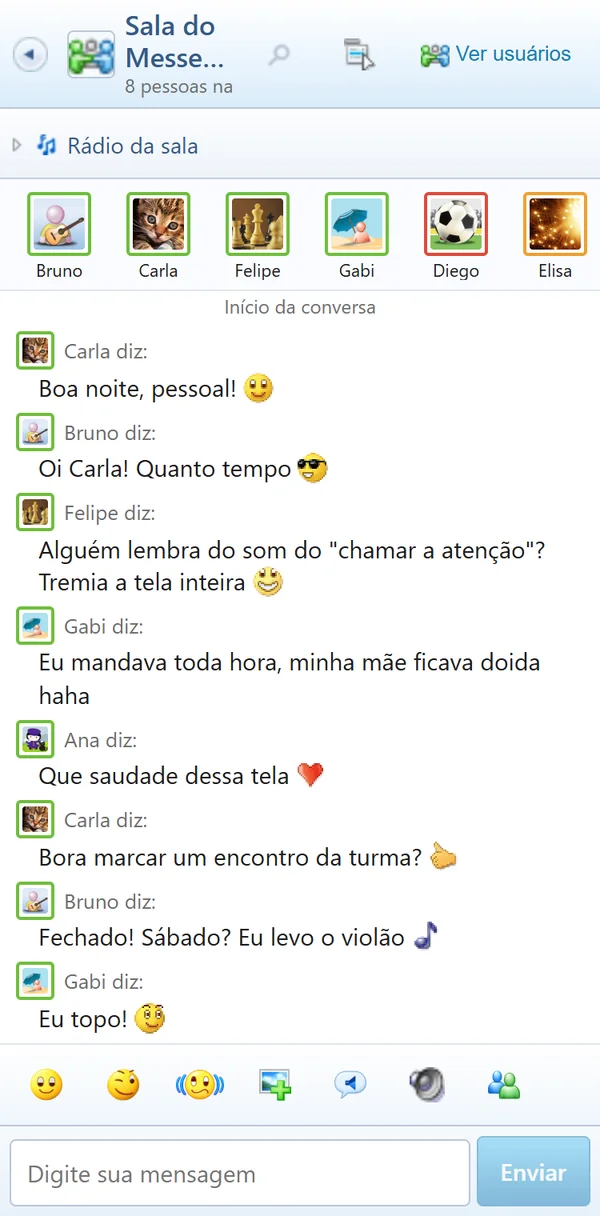
The room, on a phone
Install it as an app (3)
It works right in the browser, but once installed it gets an icon, its own window and message alerts.
-
 On PC
On PCIn Chrome or Edge, click the install icon in the address bar. It opens in its own window, just like the program.
-
 On Android
In Chrome, tap the three dots and then "Install app". Messenger goes to your home screen.
-
 On iPhone
In Safari, tap Share and then "Add to Home Screen". Alerts work in the installed app.
Frequently asked questions (6)
Is it free?
Yes. There is no paid plan and nothing to buy inside Messenger.
Do I need a password or email?
No. You sign in with just a name and get a Messenger ID. Keep that ID: it's how you get back to the same account on another device or after clearing your browser.
Who can see my conversations?
A private chat is just between the two of you. If you want, you can turn on encryption in the conversation: messages leave your device scrambled and only open on the other person's device. What you write in the Messenger Room is seen by everyone who is in it.
Does it work on a phone?
Yes. On a phone Messenger opens with its own touch-friendly screens, and you can install it as an app on Android and iPhone.
Is there moderation?
Yes. The room has moderators, a limit on back-to-back messages and a link filter, and anyone can report a message or block a contact.
Is this related to Microsoft?
No. This is an independent project, made by fans and inspired by Windows Live Messenger. It is not a Microsoft product, it is not endorsed by Microsoft and it does not use Microsoft accounts. Windows Live Messenger is a Microsoft trademark, mentioned here only to say where the nostalgia comes from.

Your friends are waiting
 people online now